Product design case study

Workforce Display CMS.

The display system for a modern worksite.

Patrick Teall
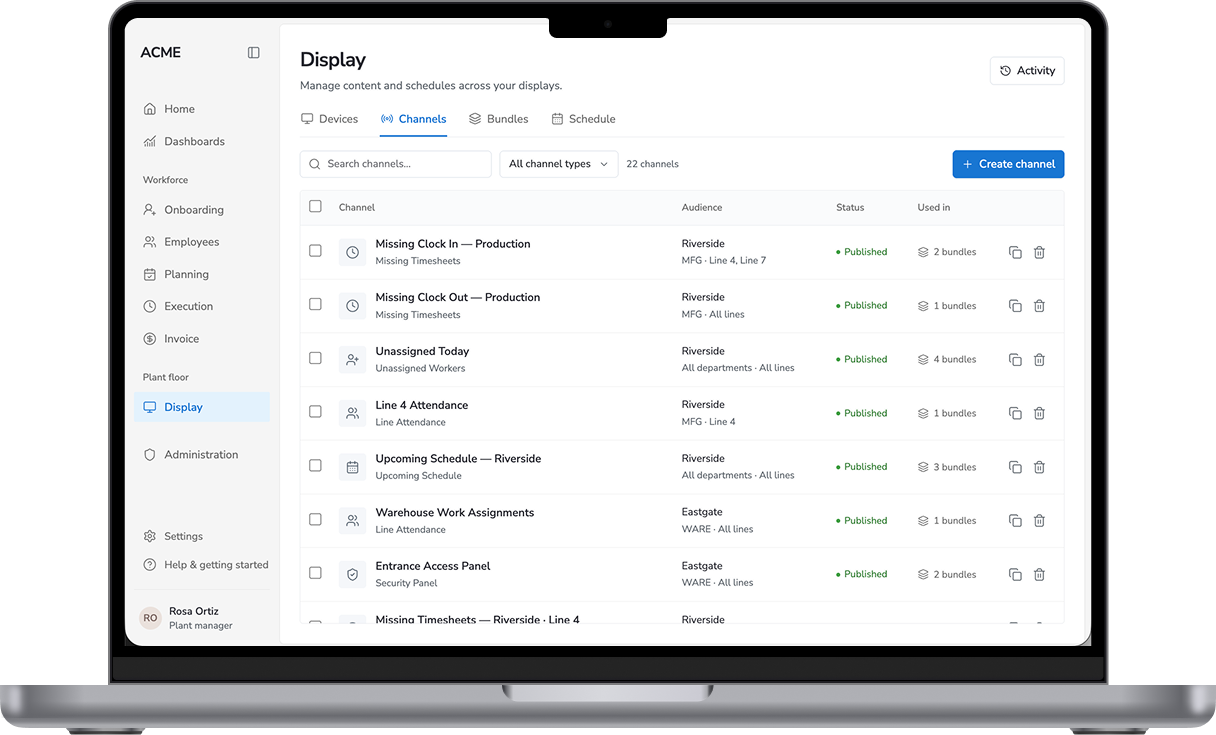
MacBook displaying the workforce Display CMS channel list

I owned product and UX from 0 to 1.

My role

Product owner, UX and user researcher.

Product decisions

Scope, Workflow, Architecture, Strategy

Research & design

User research, UX, testing and launch

Collaborators

CEO, CTO, engineering, site partners

How labor management works

Context
01Plan labor
02Run shifts
03Verify time😟 Where things could go wrong
04Invoice

Steve, the plant manager

Problem
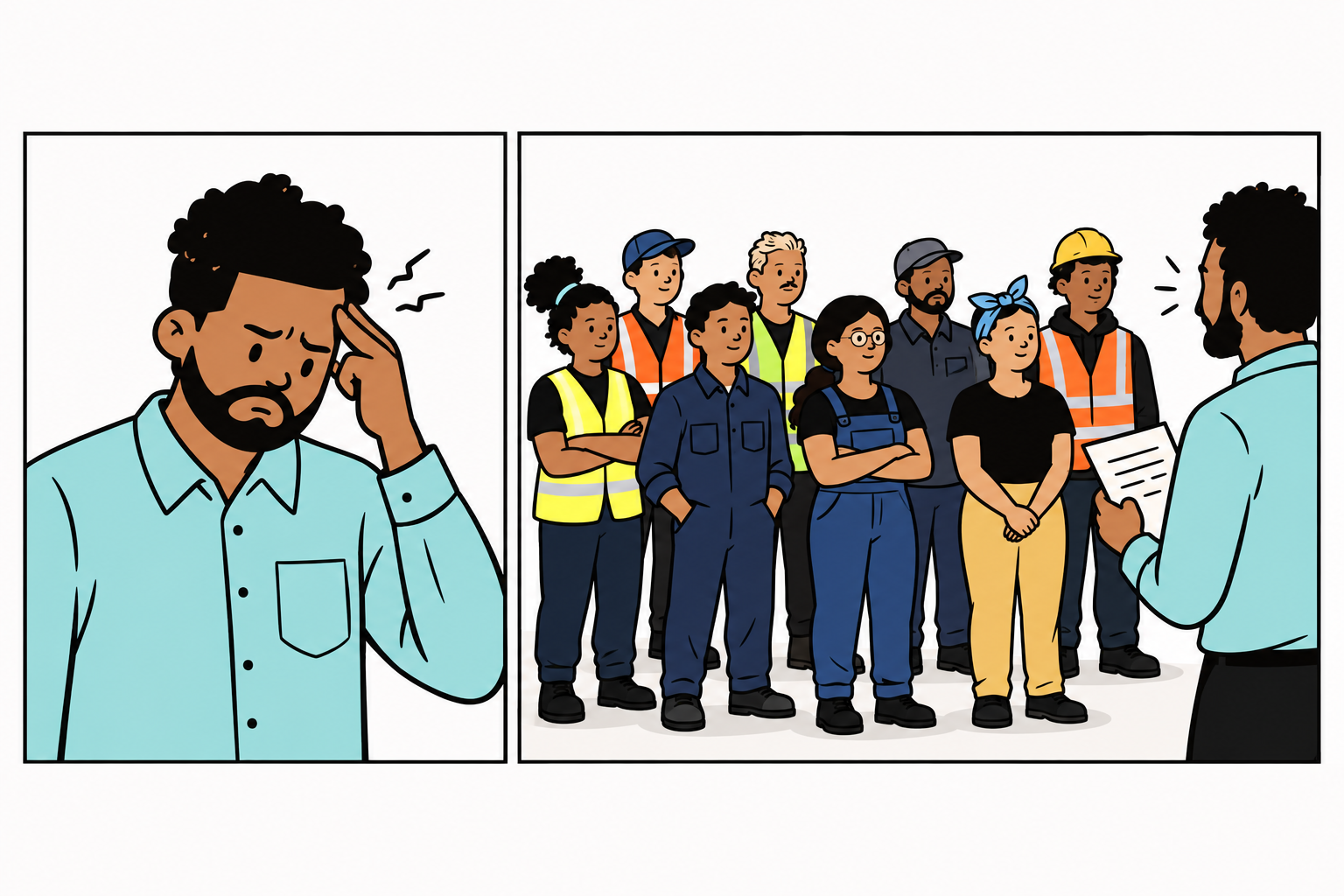
Two-panel comic: frustrated Steve in the first panel and a group of workers waiting for assignments in the second panel.
Daily challenge

Workers don’t know where to go and miss clock-ins.

Steve has to track attendance by hand to allocate workers and correct timesheets.

Problem

Manufacturers struggle with workforce tracking and communication.

Early exploration

Early approach
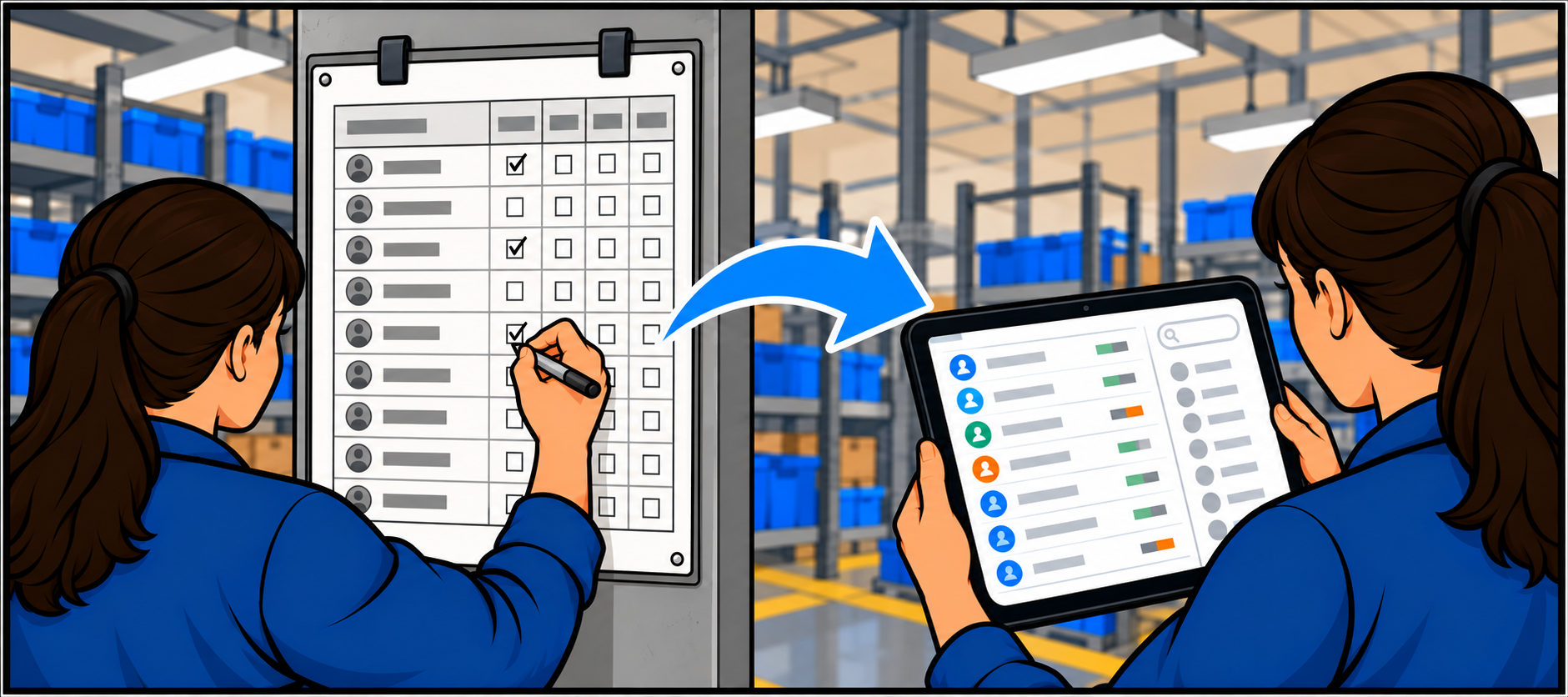
Comic showing a worker marking a paper attendance roster transitioning to a tablet tracker with worker rows, status markers, and a search sidebar
What I did

Digitized attendance tracking for line leaders.
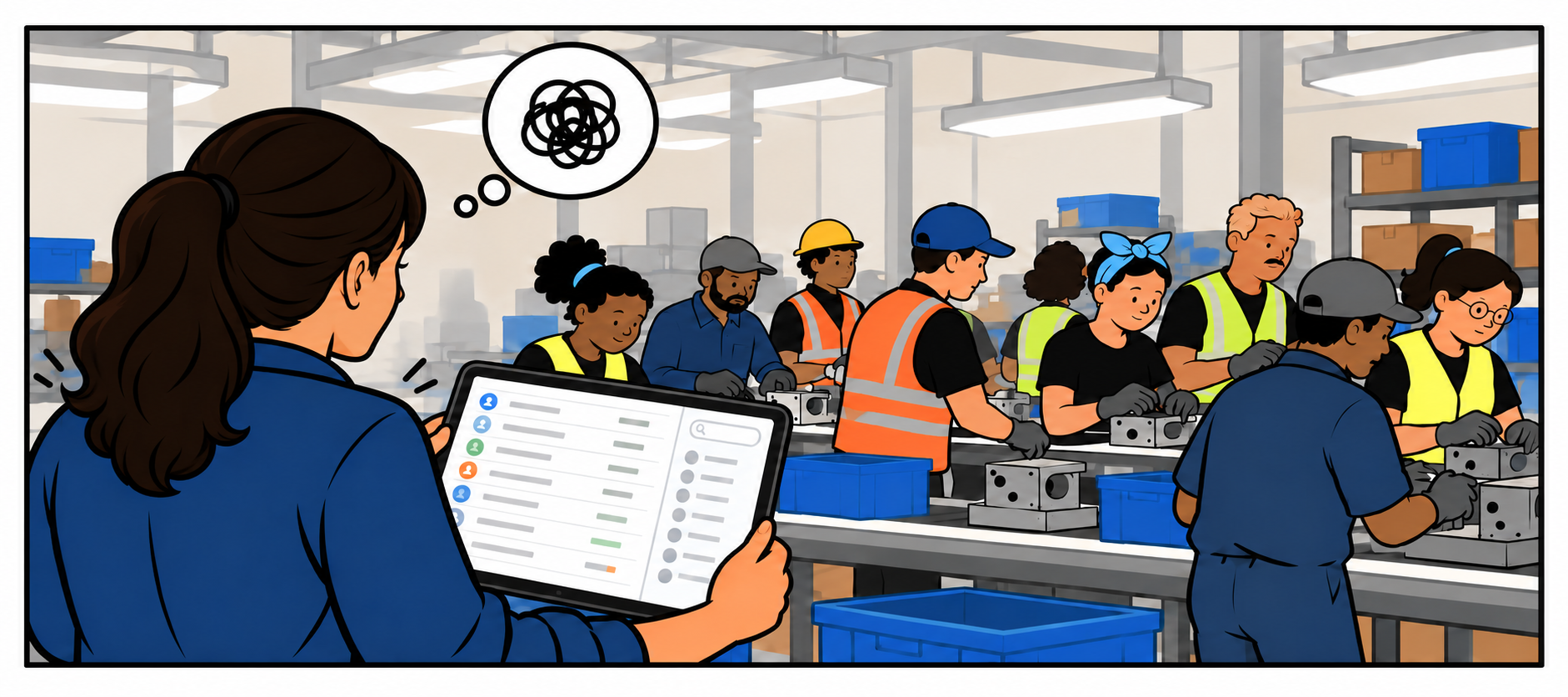
Comic of a floor manager seen from behind with a natural side profile, holding a tablet as she faces a crowded assembly line beneath a scribbled thought bubble.
Why it didn't work

The manual process for leaders increased and workers still missed clock-ins.

What I learned

Research

The best time to fix missing clock-ins is during the shift.

~17

workers missed a clock-in per shift on average

Fixable on siteInvisible
During the shiftClock-in missing
End of shiftWorker leaves
Invoice reviewGap discovered
ReconciliationRecord rebuilt

Inspiration

Airports have already solved a similar problem.

The worksite proposition

Live workforce details visible throughout plants.
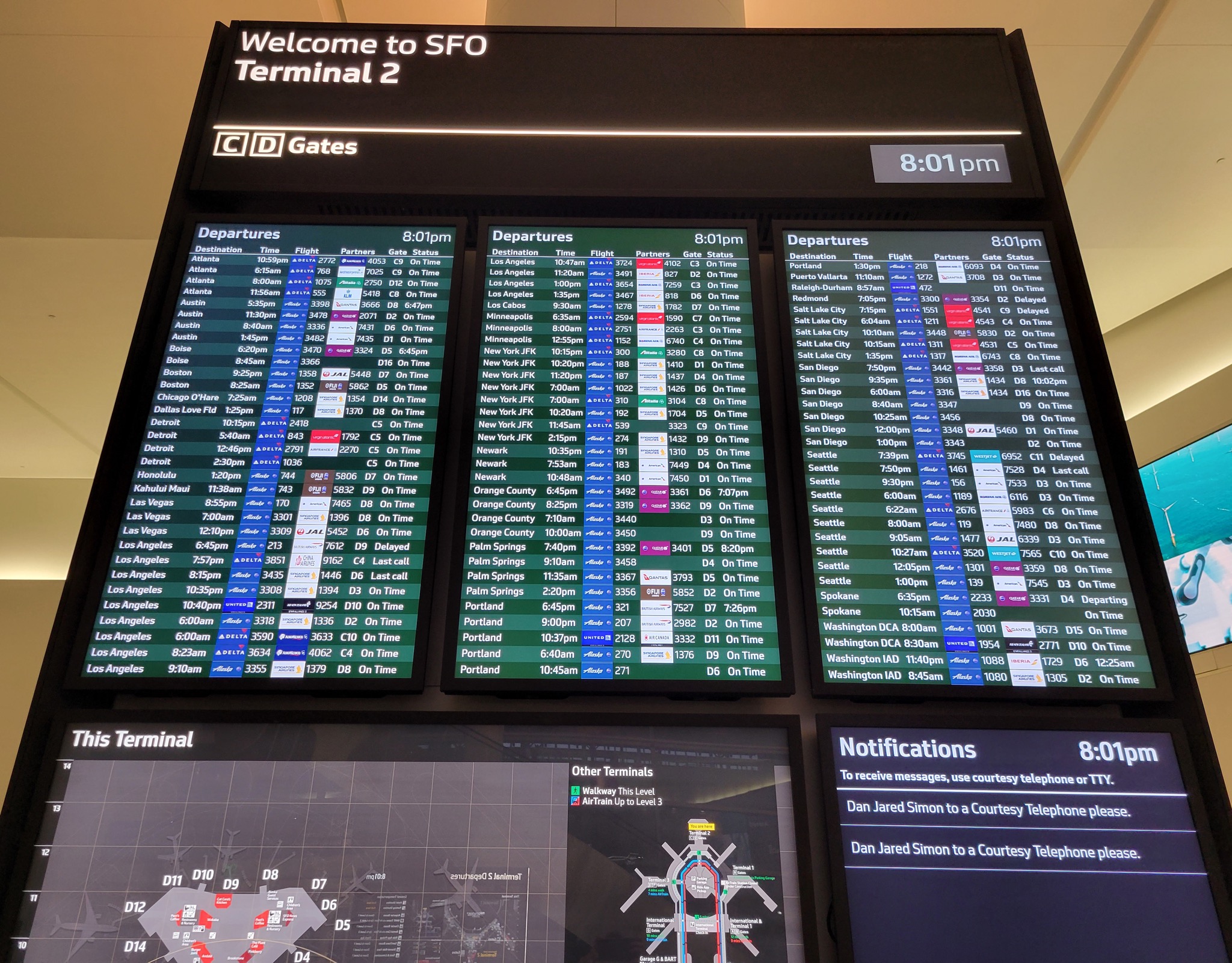
San Francisco airport terminal with large departure and wayfinding displays
Airport · live information in a shared space

I tested the idea by showing missing timesheets on big screens.

Test

Can workers self-correct?

Where

Hallways and break rooms

Scope

One site · one channel · live data
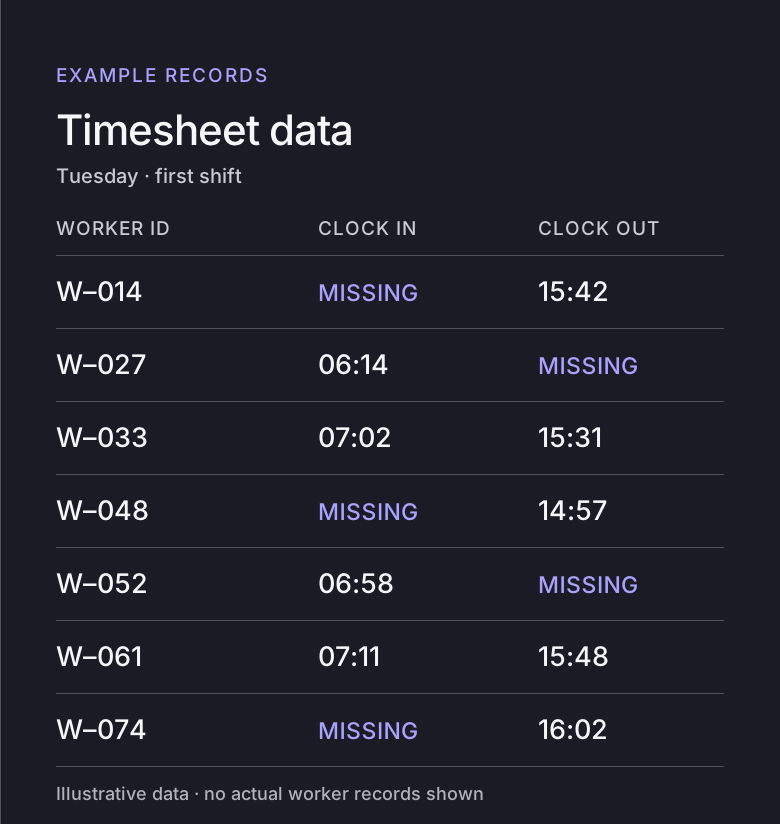
Illustrative timesheet records with several missing clock-ins and clock-outs

The pilot was a success

Pilot validation

About 10 of 17 missing clock-ins were fixed before shift end.

Weekly average missing clock-ins

# of missing clock-ins
Week

But I discovered other issues

Pilot research and feedback
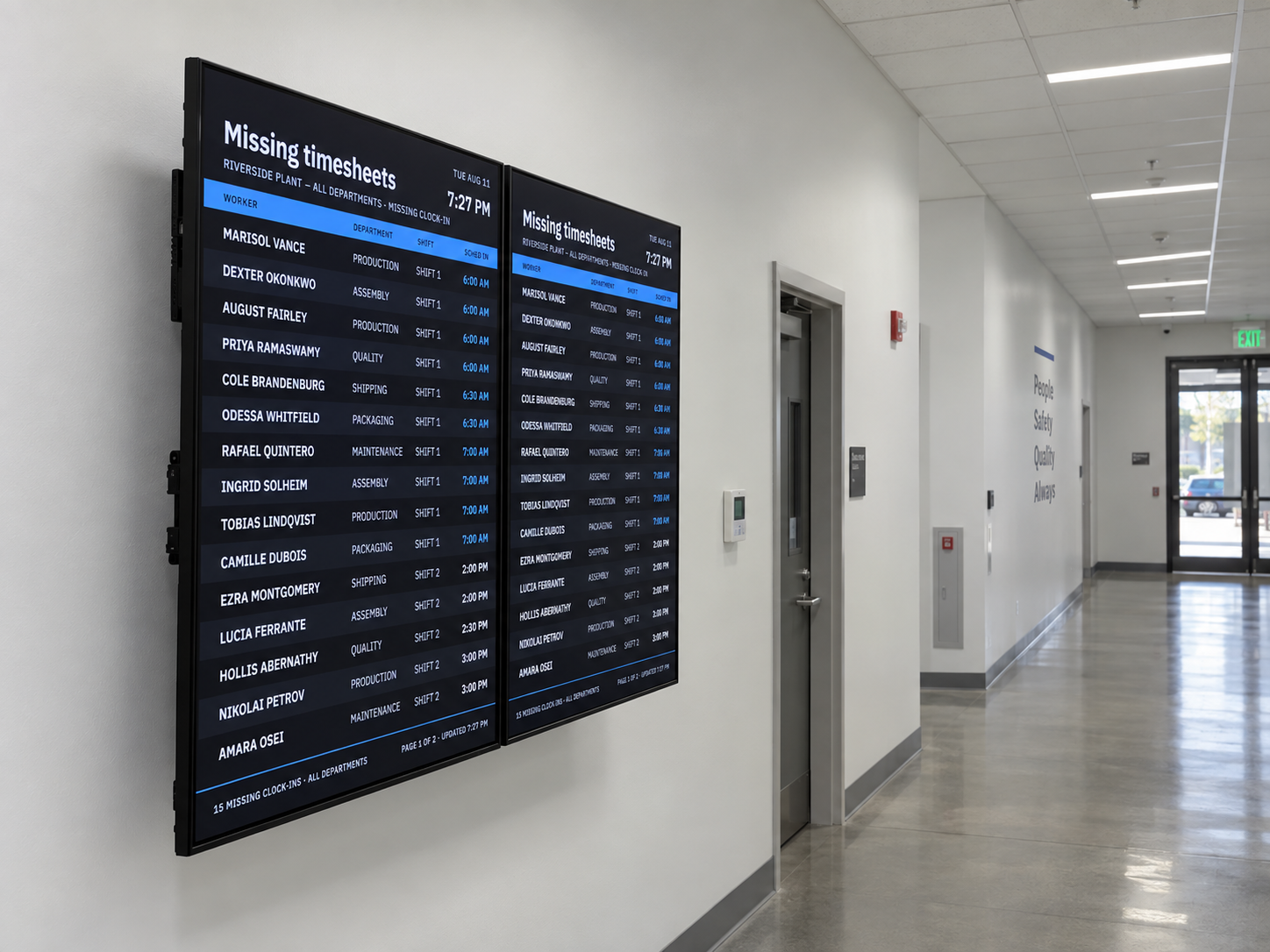
First missing-timesheet board installed in a worksite hallway
First board · observed on site

The purpose was unclear

Policies varied by worksite

Readability conflicts with density

The phased approach and tradeoff

Tradeoff
PilotOne channel
Scope

Missing timesheets

Result

Workers self-correct clock-ins

MVPCMS, Device manager & Design System
Why it's needed

Customer requested new use cases

Goal

Scaling to support a device network

Phase 2Scheduler
Why defer

Limited engineering resources

User cost

No daily or weekly configuration

I advocated for a design system to scale displays.

Design system

A defined structure was needed for consistency and flexibility.
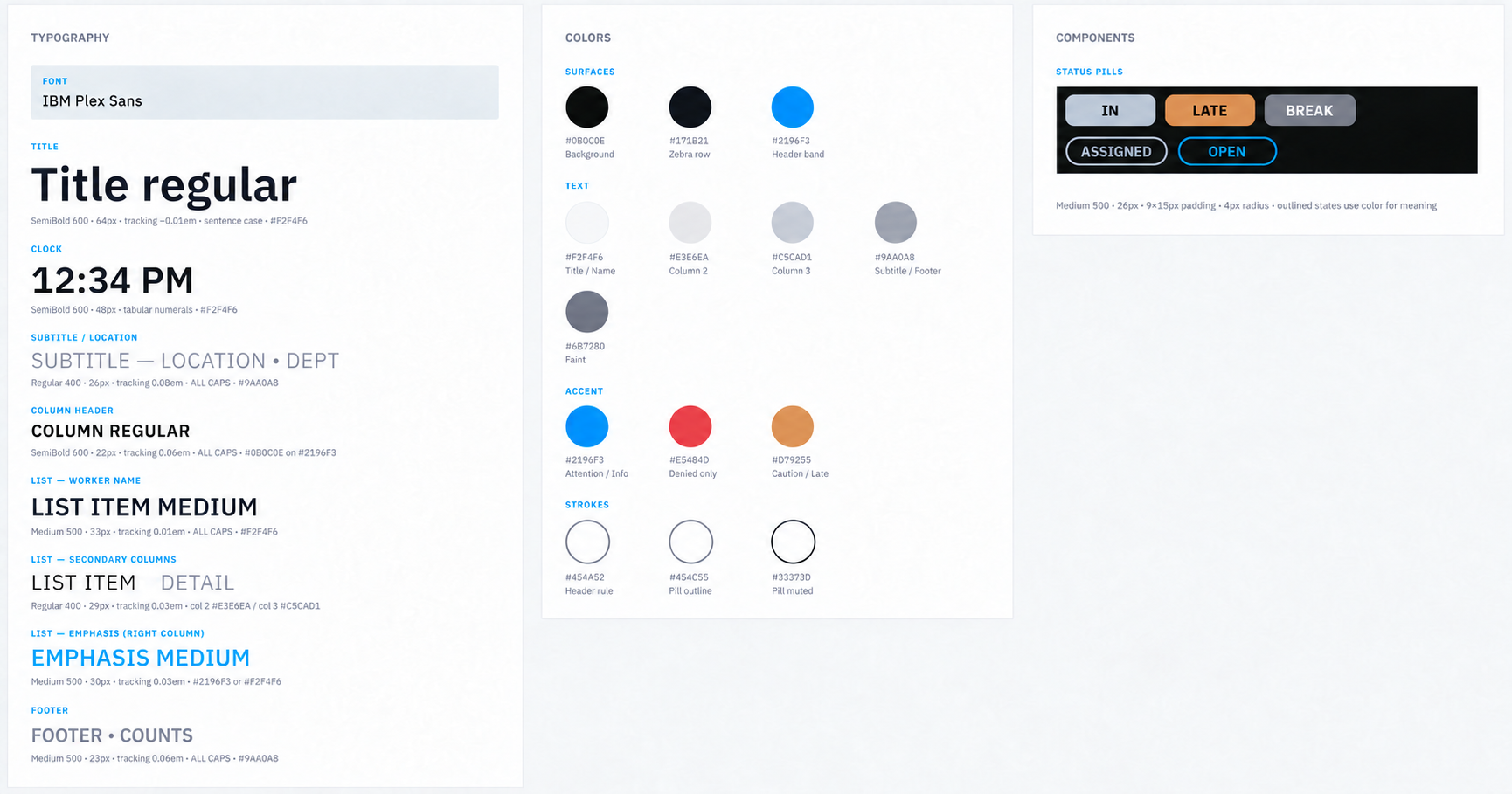
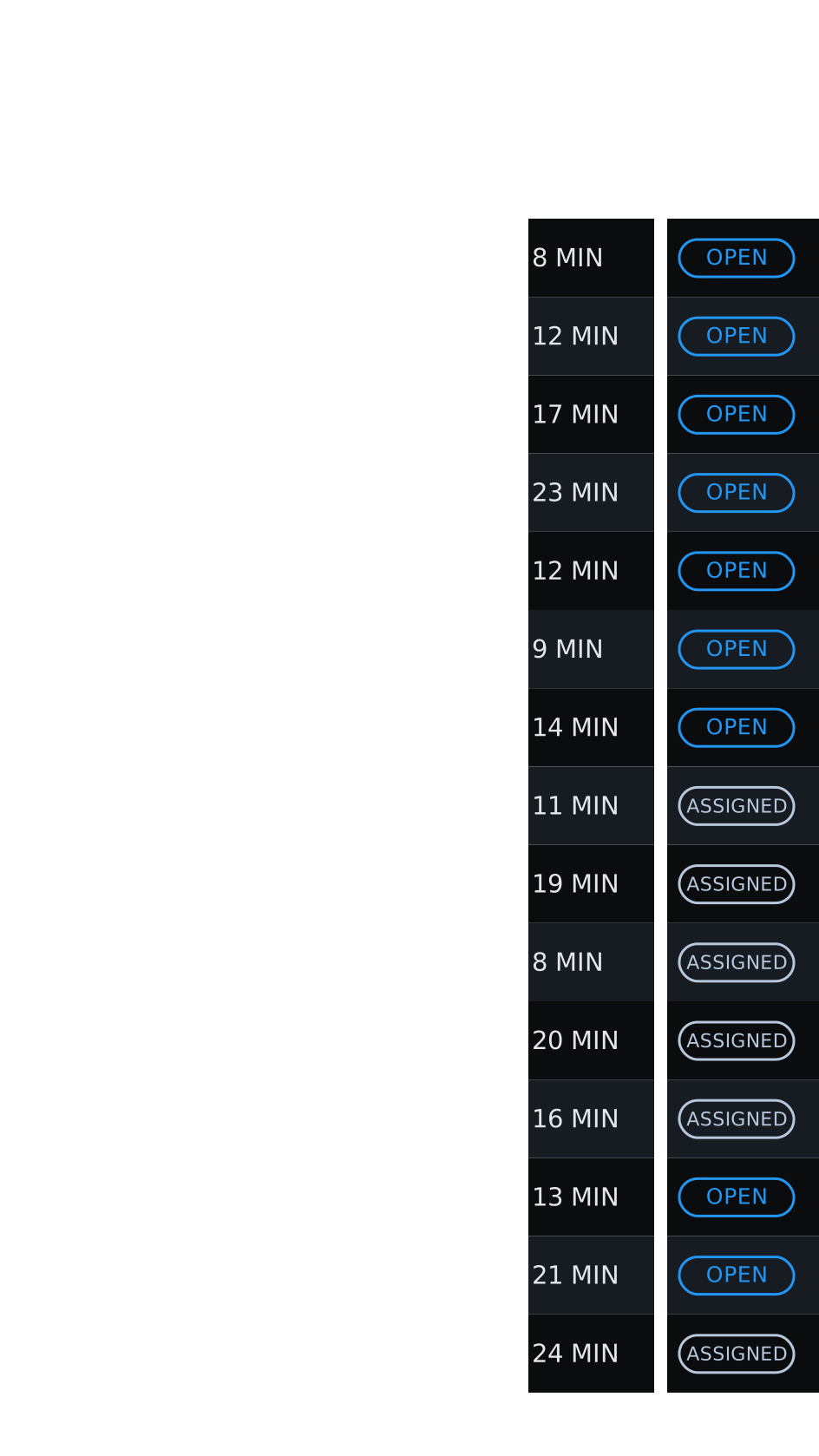
Display design system showing typography, colors, a muted blue-gray IN pill, soft orange LATE pill, gray BREAK pill, and outlined ASSIGNED and OPEN pills
Shared typography, color roles and status components

Expanding use cases

Across the worksite
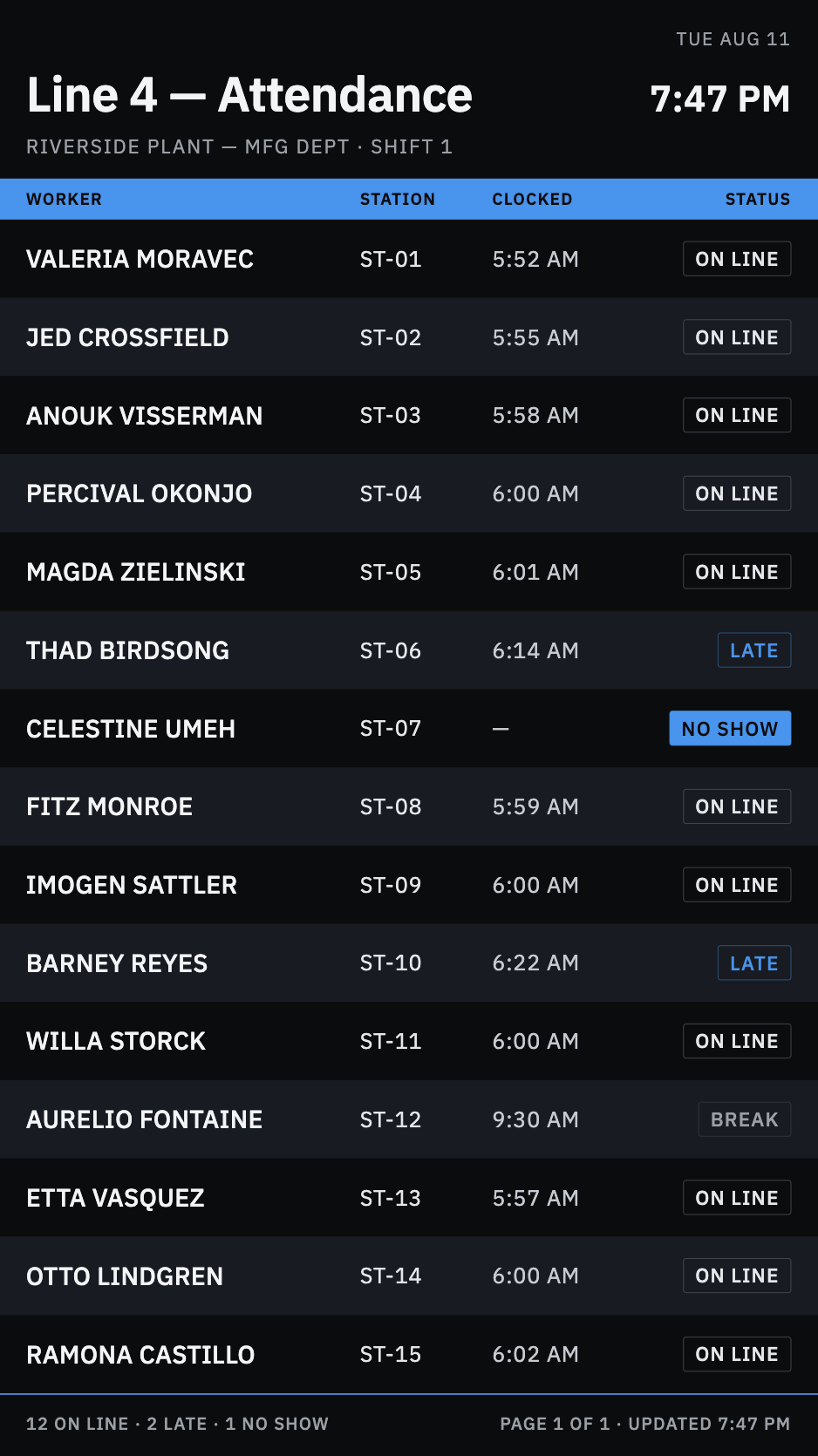
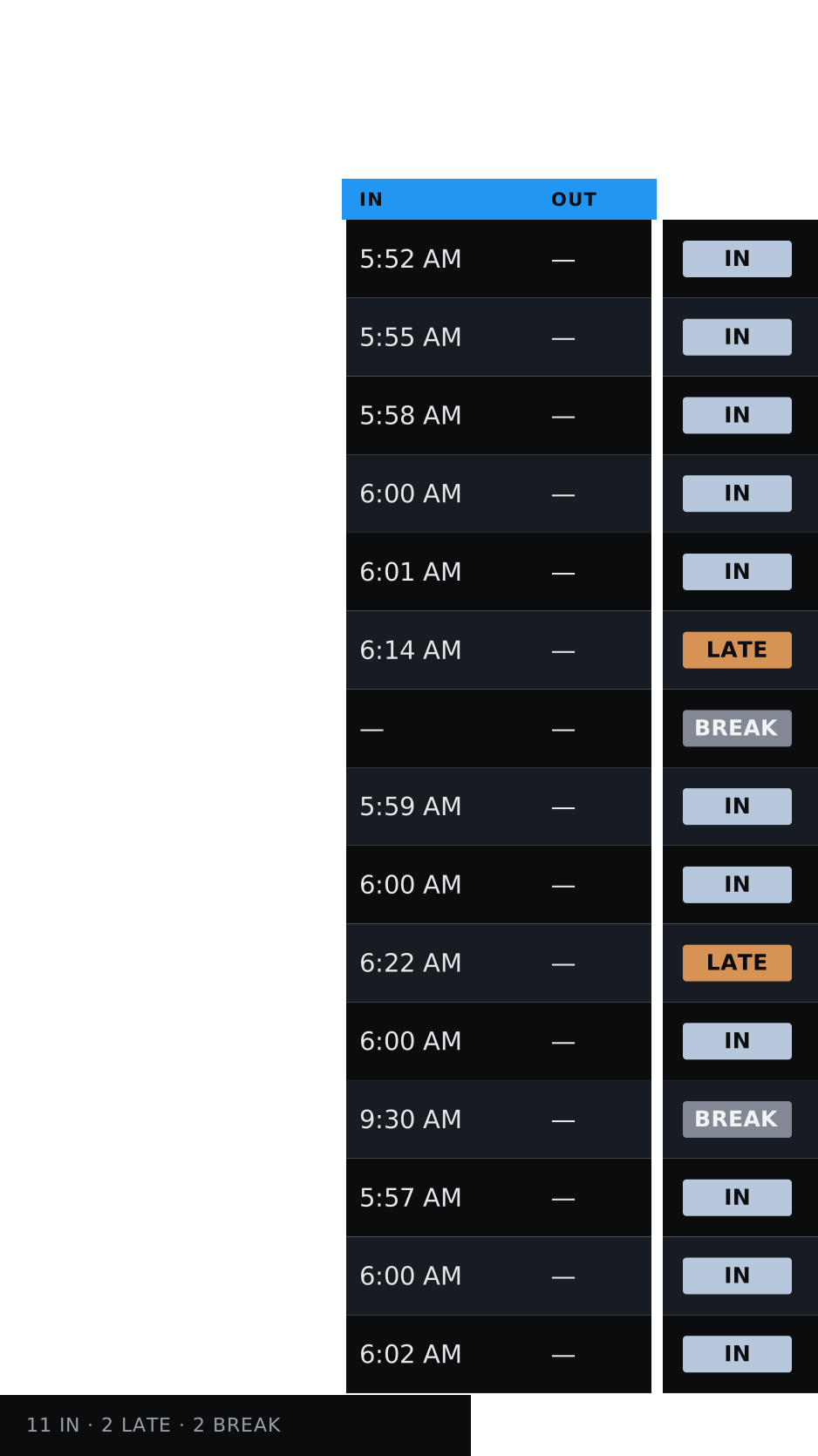
ShippedLine Attendance

Production lines · line leads

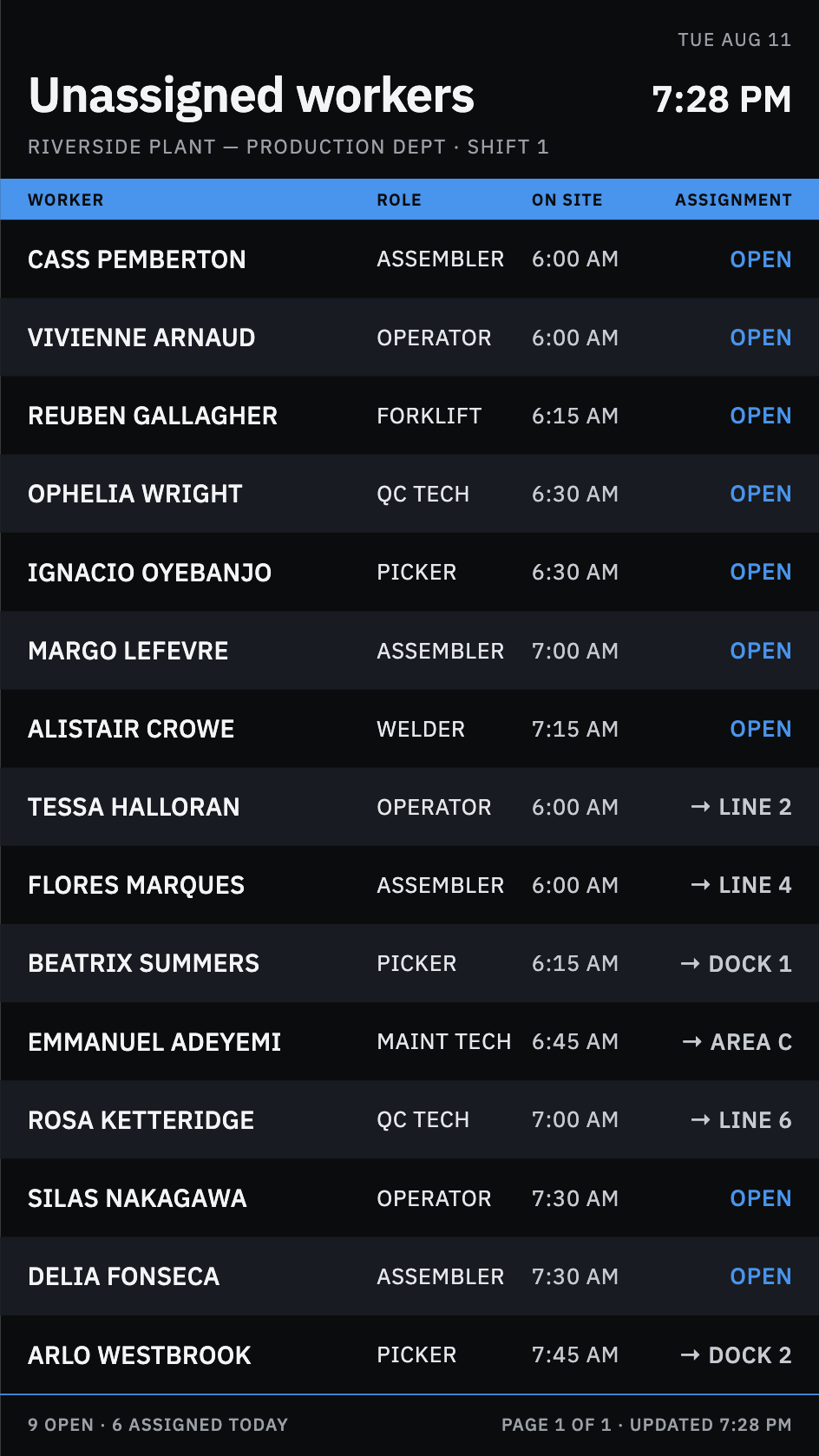
ShippedUnassigned workers

Breakroom · staffing managers

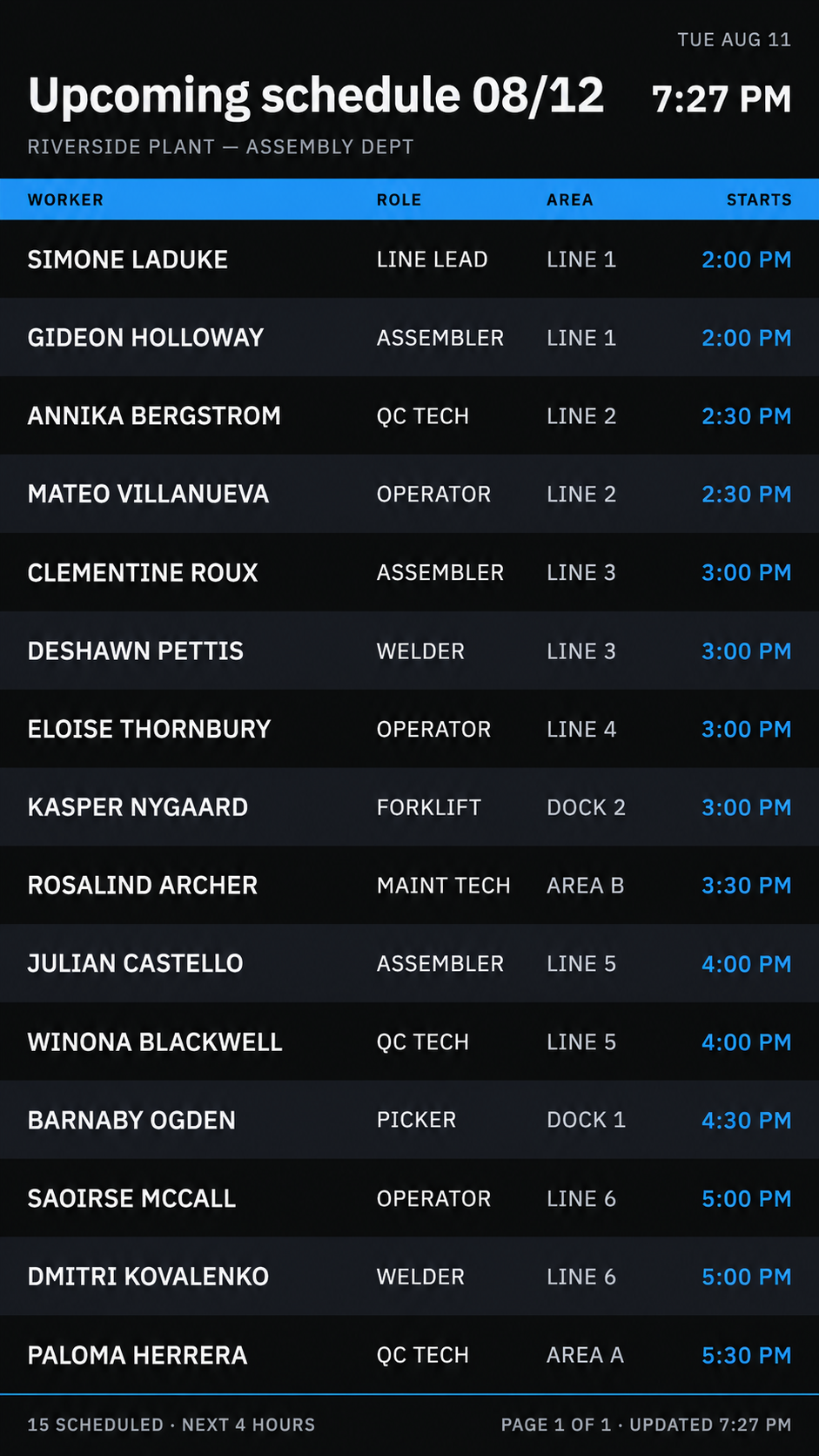
Upcoming schedule 08/12 display
ShippedUpcoming schedules

Common areas · the incoming shift

CMS - Device management

Device management

Plant managers can organize display devices, choose content and monitor their status.

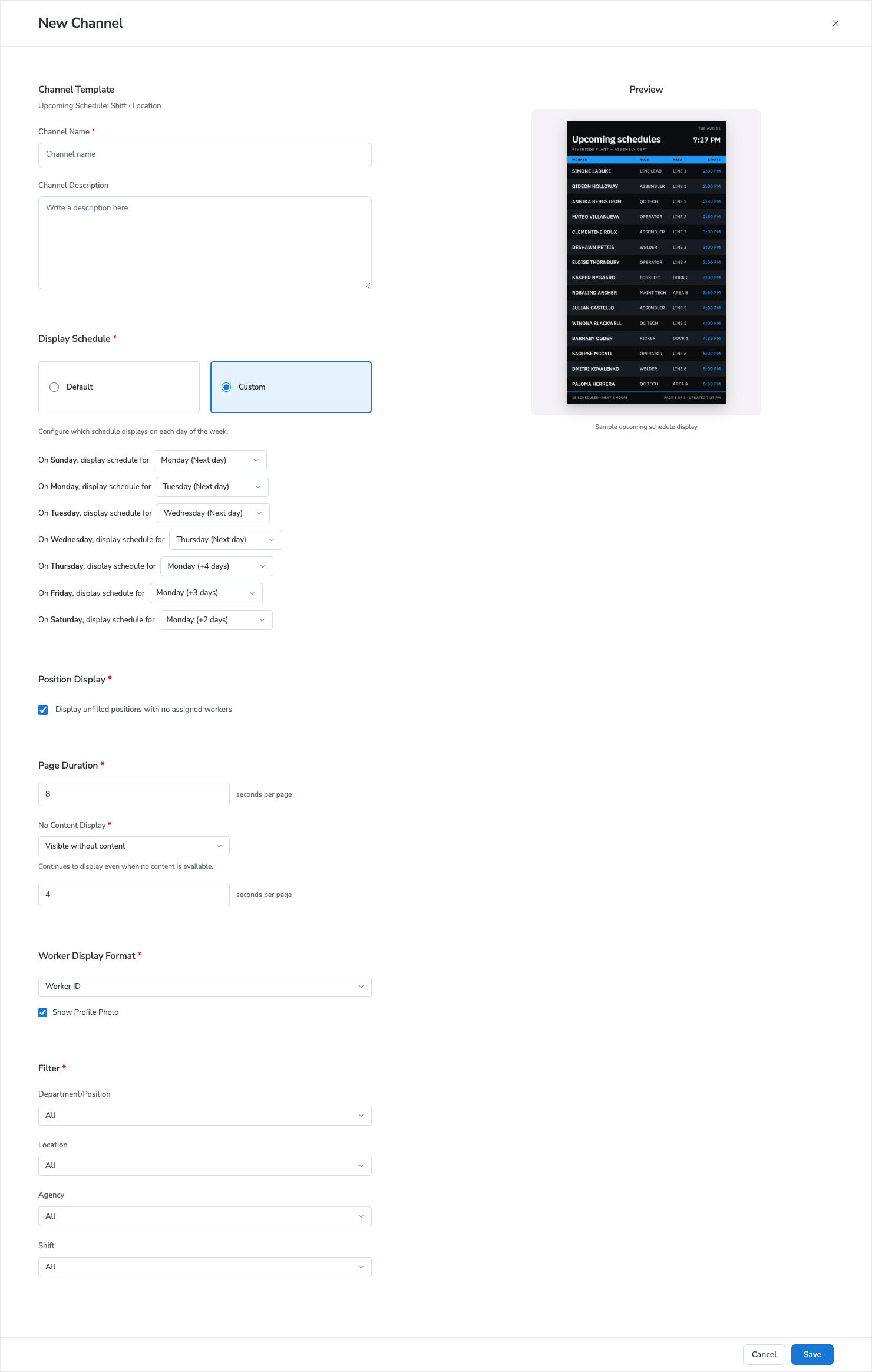
CMS - Channel configuration

Channel configuration

Plant managers can configure channels to show specific data.

Channel configuration

Design iteration
Before
First channel setup: one long form with settings continuing below the visible areaBecause the form was long, users could miss important settings
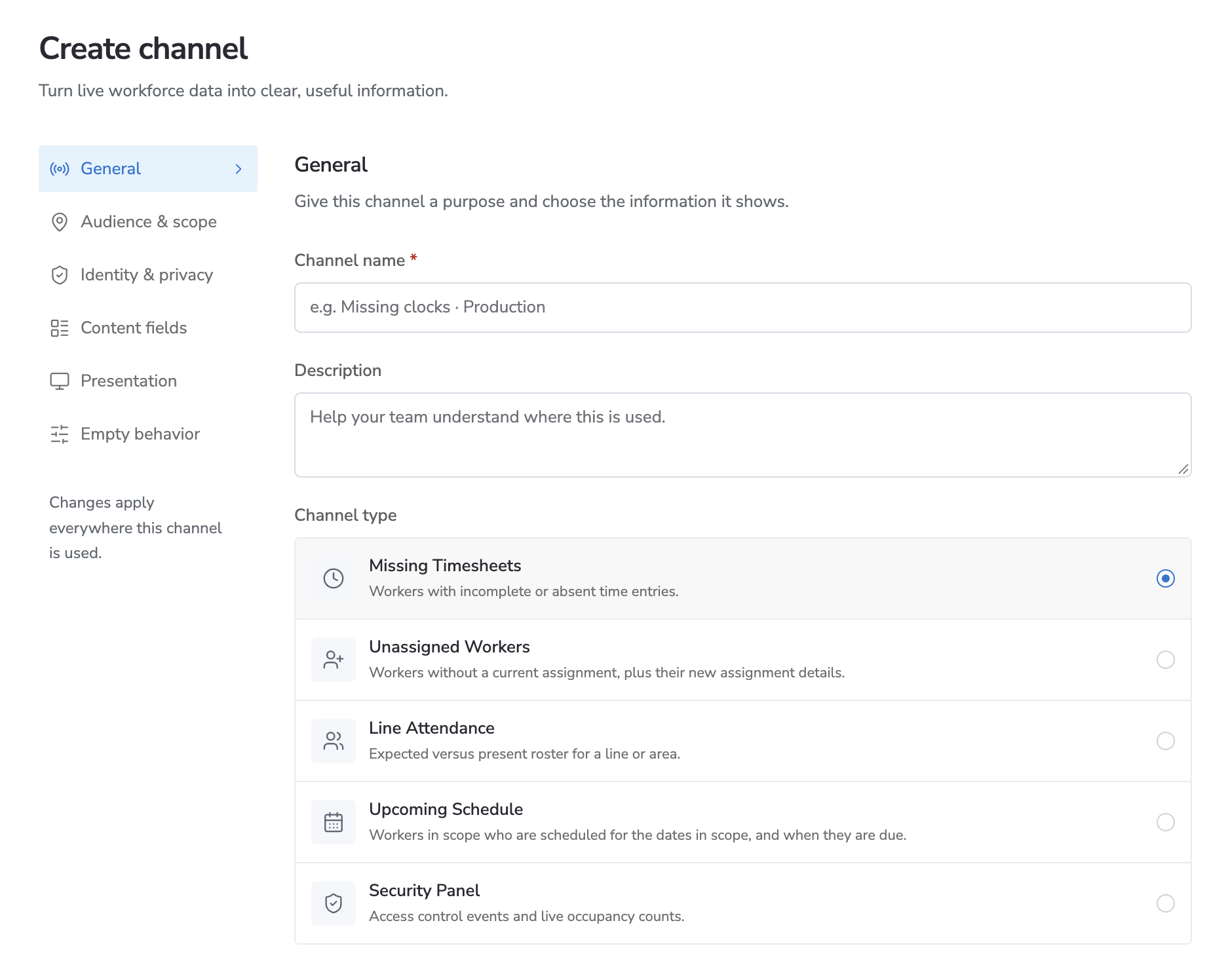
After
Redesigned channel setup with settings categories from General through Empty behaviorA step-by-step guide highlights important settings

CMS - Bundle

Decision 2 · CMS

Plant managers can group channels into a sequence that loops on screen.

Phase 2 - Adding the scheduler

Phase 2 · Scheduler

Plant managers can schedule what is shown at different times during the day and week.

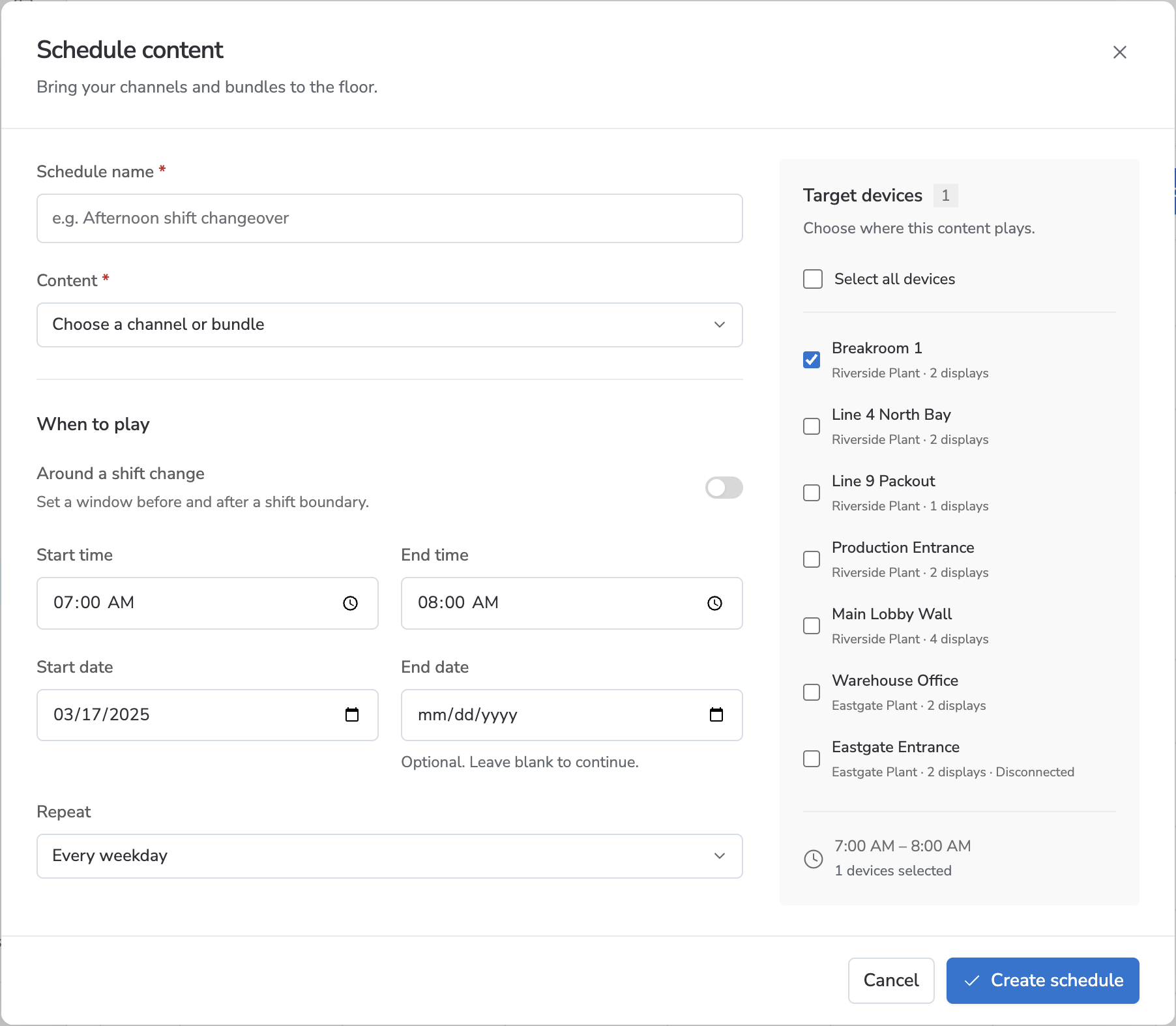
Reducing complexity of scheduler configuration

Scheduler · Design iteration
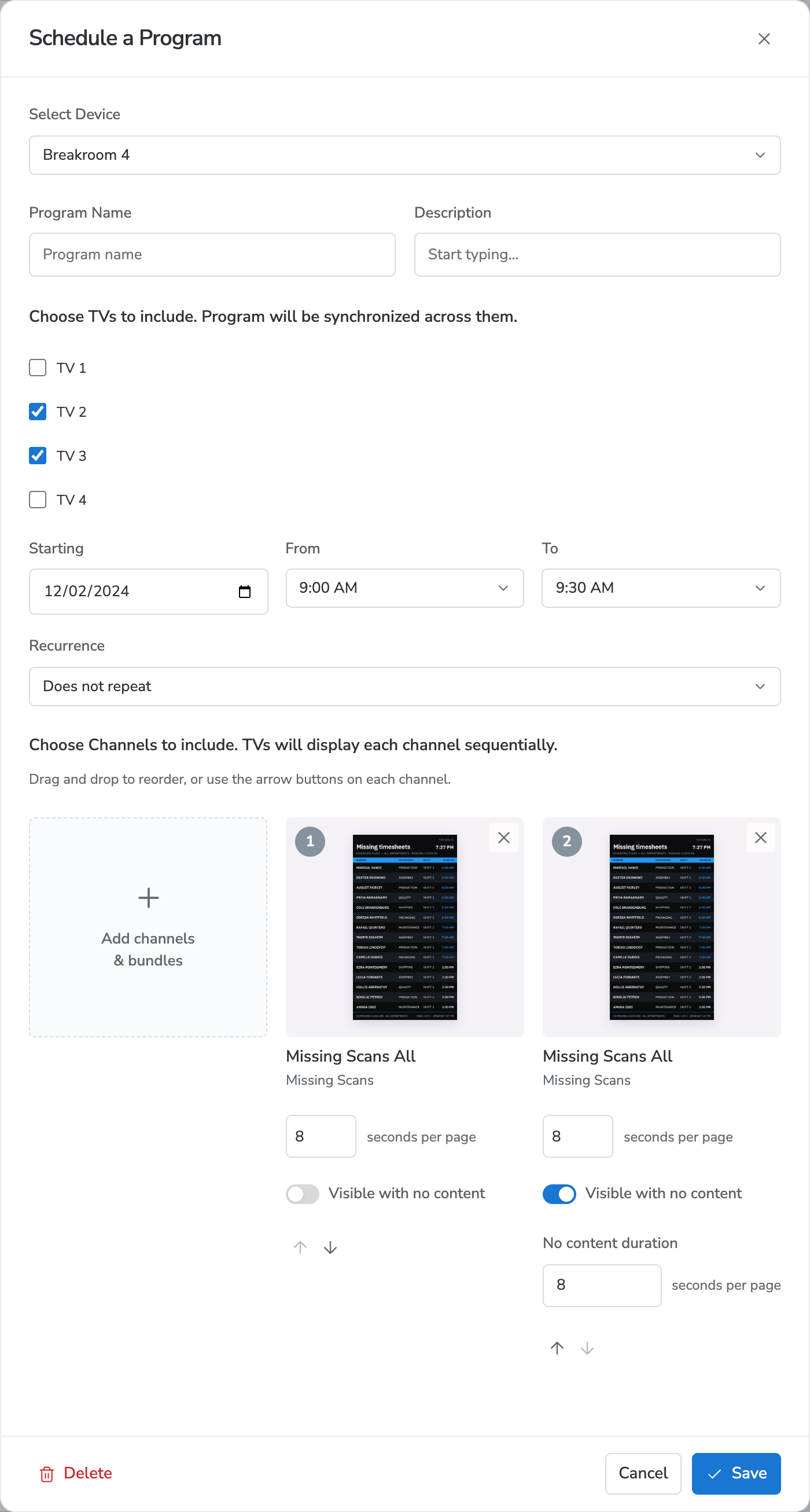
Before
Earlier scheduling form with channel tiles deep in the program setup
Customization made it too complex
After
Redesigned scheduling form with a channel or bundle selector and target devicesSimply select pre-built content

Outcome

Operations tracking improved, resolving issues on site.

60%

of missing time resolved the same day

4 hr → 1 hr

invoice cleanup per cycle

1 hr → 20 min

to assign unallocated workers

Outcome

Reported outcomes after launch.

4 sites

48 devices installed at launch

$2M ARR

a primary selling point for the platform

Reflection

Solve the source of the problem. Build for scale.

Airport displays inspired a focused pilot and a system built to scale.

Food and beverage production workers packing fruit on a factory line
Food and beverage production · illustrative photo

Reflection

What would I have done differently

Keep displays' configuration visibility simple.

Let clients set up systems to get feedback sooner.

Next steps

Build support for announcements, safety information, and wayfinding.

Food and beverage production workers packing fruit on a factory line
Food and beverage production · illustrative photo